Chapter 5 · Q014 to Q016
Persistence
A Python process in Temp won't survive a reboot. The attacker needs something that starts at logon and looks like it belongs, so they picked a signed program that will load their DLL.
A trusted process Q014
Programs in Program Files normally load DLLs from Program Files and Windows. One that loads an unsigned DLL from a user profile is worth a look. Sysmon event 7 records image loads:
bifract_category="image_load" signed="false" | image_loaded=~"\\Users\\" | groupBy(computer_name, image, image_loaded)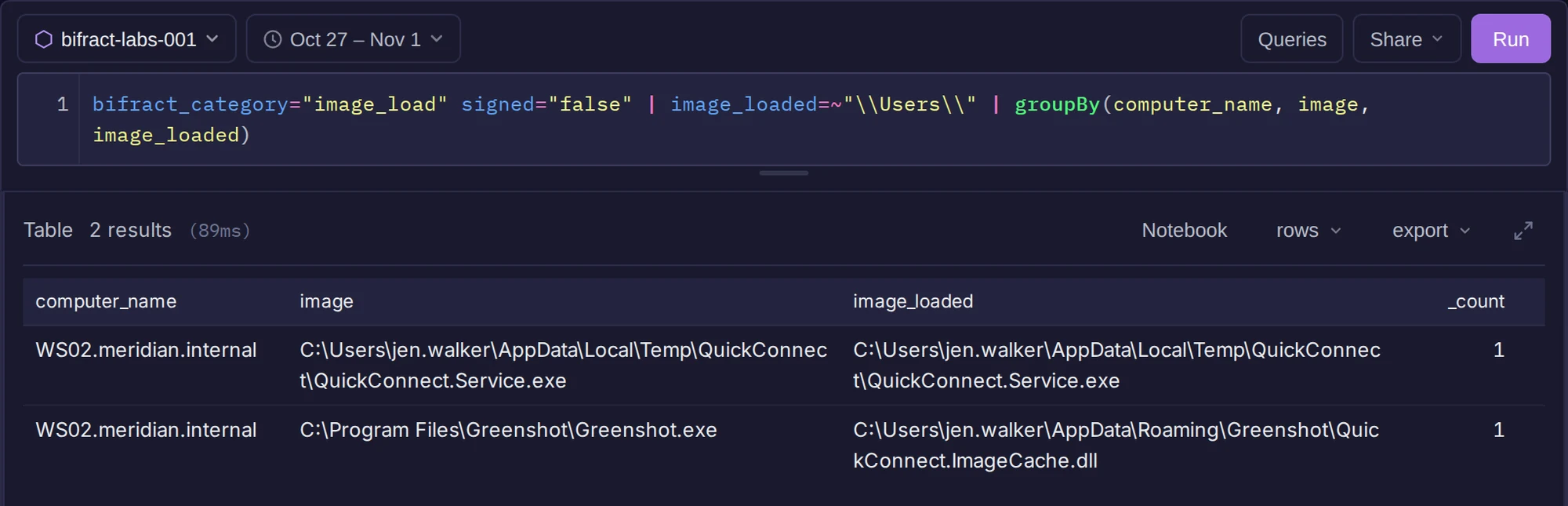
Unsigned DLLs loaded from user profiles.
There are two rows. One is the implant loading itself. The other is Greenshot, a signed screenshot tool, loading QuickConnect.ImageCache.dll from AppData\Roaming\Greenshot\.
Next, what Greenshot does: the processes it starts and where it connects.
(bifract_category="process_creation" parent_image=$"\\Greenshot.exe") OR (bifract_category="network_connect" image=$"\\Greenshot.exe") | groupBy(bifract_category, image, commandline, dst_ip, dst_port)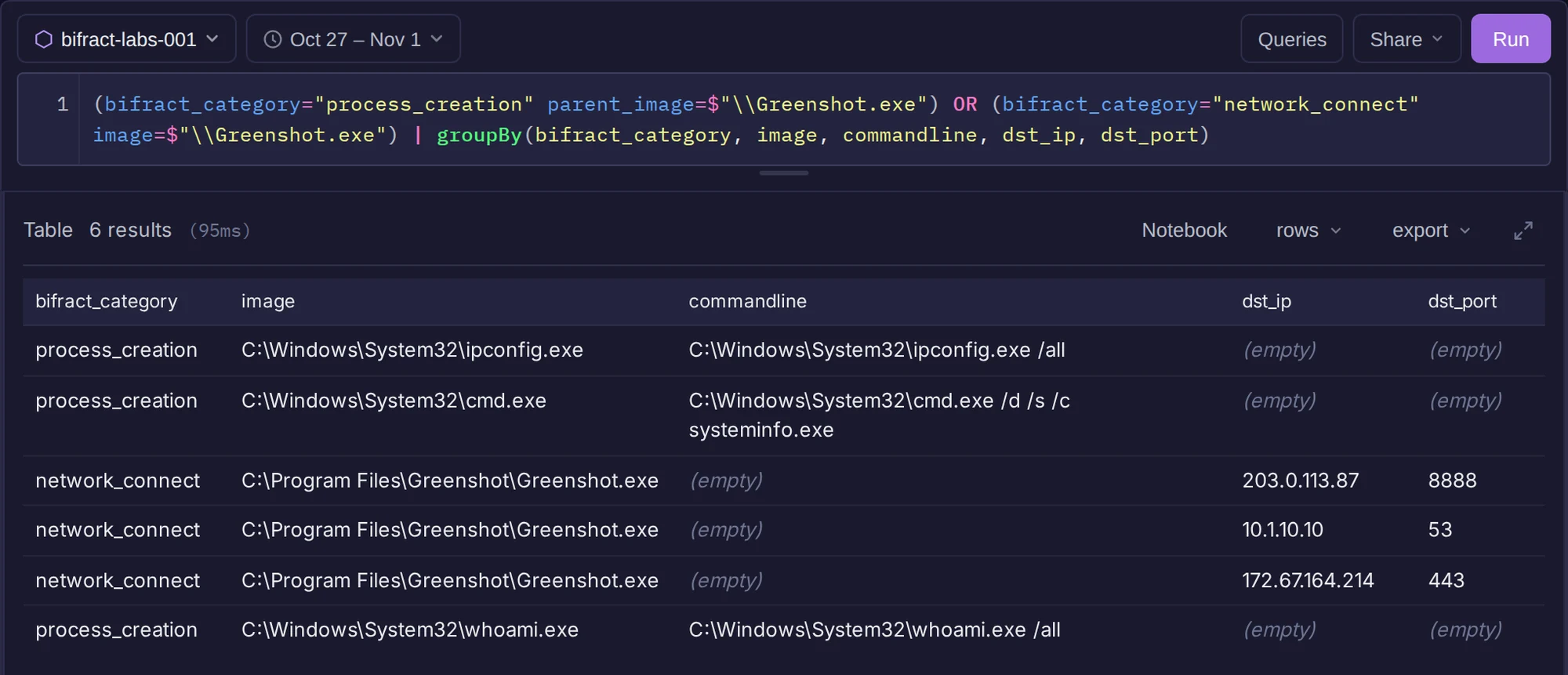
Greenshot's children and network destinations.
A screenshot tool shouldn't run whoami /all, ipconfig /all and systeminfo. It also connects to 203.0.113.87:8888 2,494 times, the same IP and port the implant uses.
Finding · Q014
The legitimate program is C:\Program Files\Greenshot\Greenshot.exe.
What starts it at logon? Q015
I compare Run keys across all hosts: which values exist, on which hosts, what wrote them, and when each first appeared.
event_id="13" | contains(target_object, "\\CurrentVersion\\Run")
  | groupBy(hostname, image, target_object, details,
      function=multi(selectFirst(timestamp, as=first_seen), count(as=writes)))
  | sort(first_seen, order=desc)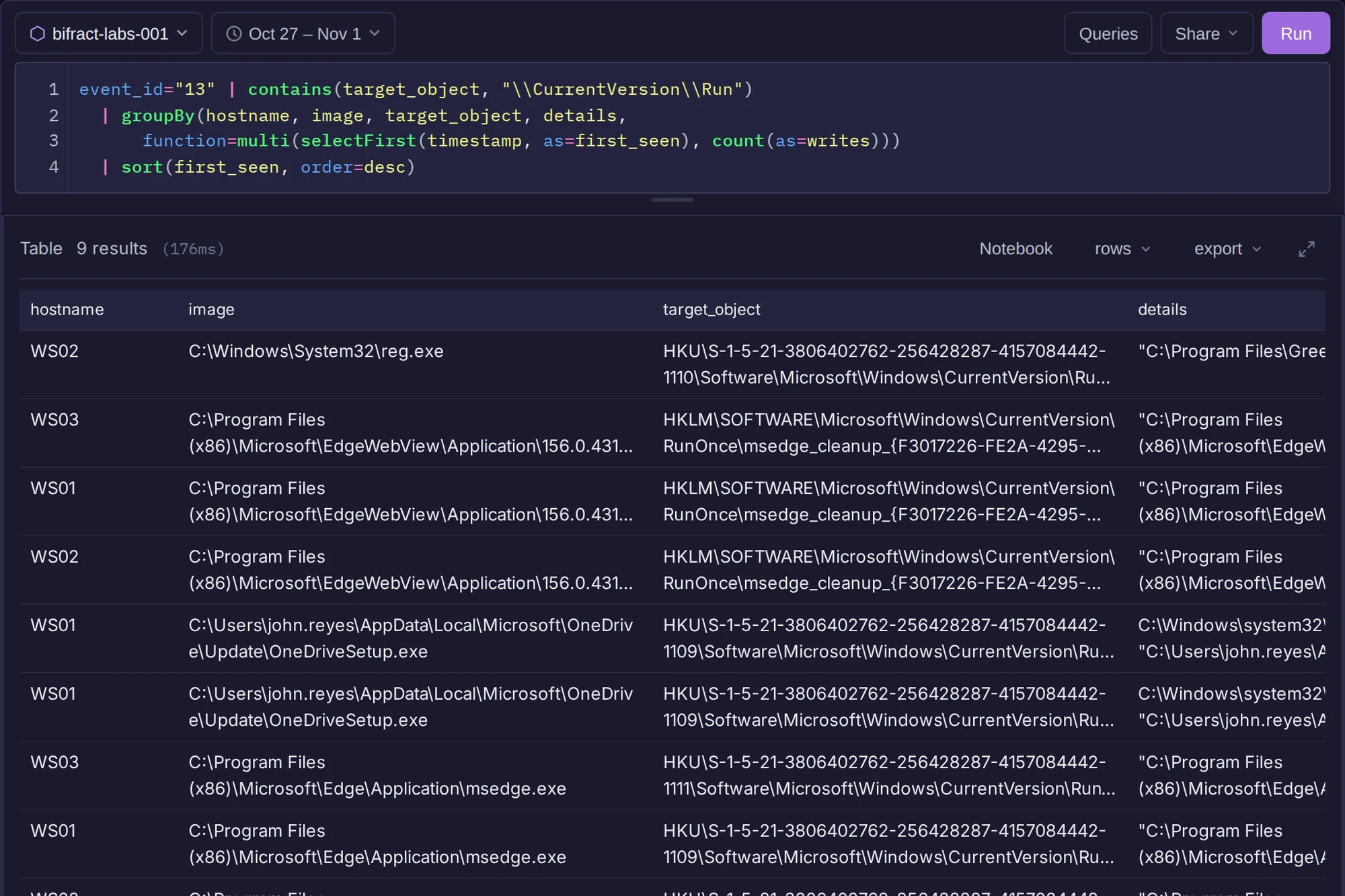
Every Run and RunOnce value written, newest first.
Edge rewrites its MicrosoftEdgeAutoLaunch_* value on every workstation, many times. One value is different: ...\CurrentVersion\Run\Greenshot on WS02, written once by reg.exe instead of an installer.
bifract_category="process_creation" | image=$"\\reg.exe" | parent_image=~QuickConnect | table(timestamp, computer_name, user, parent_image, commandline)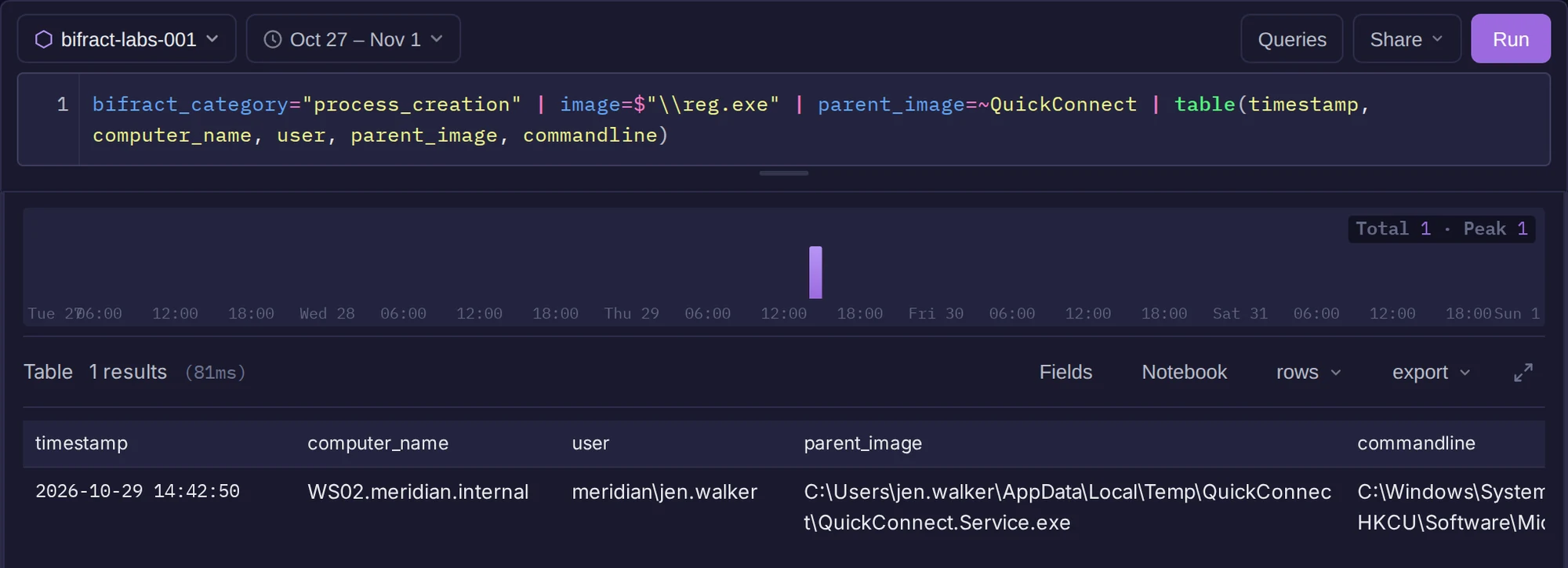
The implant writes the Run value at 14:42:50.
reg.exe add HKCU\Software\Microsoft\Windows\CurrentVersion\Run /v Greenshot /t REG_SZ
  /d "\"C:\Program Files\Greenshot\Greenshot.exe\"" /f
Finding · Q015
The persistence value is HKCU\Software\Microsoft\Windows\CurrentVersion\Run\Greenshot (T1547.001). Sysmon shows the key as HKU\<SID>\..., and the reg add command shows the HKCU form.
Why Autoruns doesn't show it
The dataset includes Autoruns collections from before and after the incident. Both show a legitimate machine-wide HKLM\...\Run\Greenshot entry. The attacker's per-user HKCU value isn't in the after collection, so use Sysmon event 13 here.
The plugins Q016
Pivot from the DLL's folder to every file written there:
bifract_category="file_write" | target_file=~"\\AppData\\Roaming\\Greenshot\\" | table(timestamp, computer_name, image, target_file) | sort(timestamp)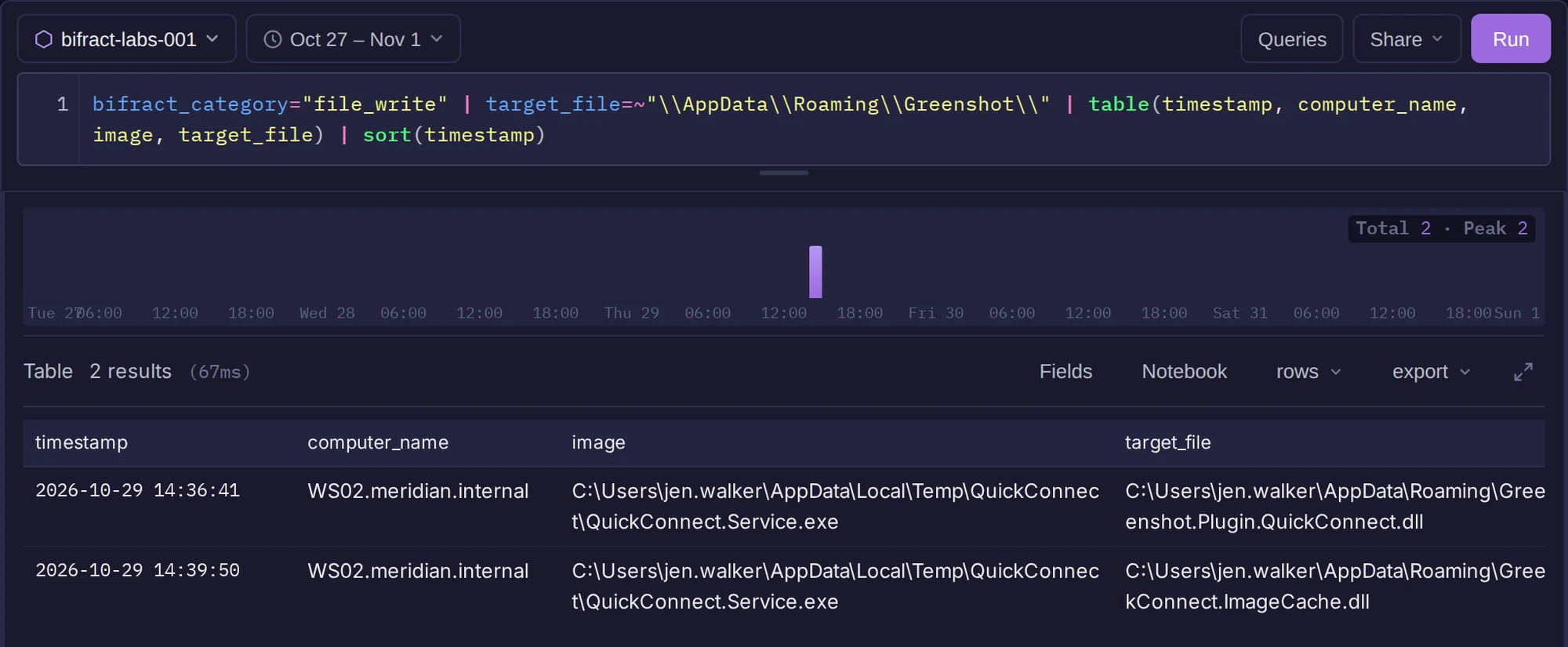
Files the implant dropped into Greenshot's user folder.
The implant wrote two DLLs, at 14:36 and 14:39, before relaunching Greenshot at 14:51.
Finding · Q016
The staged DLLs are Greenshot.Plugin.QuickConnect.dll and QuickConnect.ImageCache.dll.
Only QuickConnect.ImageCache.dll has an image load event, so event 7 alone won't find both. Following the folder does.
Next: credentials.